CI/CD stands for Continuous Integration and Continuous Delivery (or Continuous Deployment). It is a set of practices that automates the journey of code from a developer's laptop to a live server: every change is built, tested and shipped through an automated pipeline instead of by hand. If you have ever waited for a "release day" to push a website update, CI/CD is the practice that replaces that stressful event with small, safe, frequent releases.
This guide explains what CI/CD actually is, how a pipeline works step by step, the difference between continuous delivery and continuous deployment, the tools teams use, and the misconceptions that trip beginners up. No prior DevOps experience is needed.
What Is CI/CD?
Continuous Integration (CI) is the habit of merging code into a shared repository several times a day, with every merge triggering an automated build and a suite of automated tests. If the build or a test fails, the team knows within minutes, while the change is still fresh in the developer's mind.
Continuous Delivery (CD) extends CI: once code passes all tests, it is automatically packaged and kept ready to deploy to production at any moment. A human still presses the button for the final release, but everything up to that point is automated and repeatable.
Continuous Deployment goes one step further and removes the human button-press entirely: every change that passes the pipeline is deployed to production automatically.
The core idea is simple: small changes, merged often, verified by machines, are far safer than large changes merged rarely and verified by tired humans at 2 a.m. CI/CD turns releases from rare, risky events into a routine, boring, reliable process — and boring is exactly what you want from deployments.
How a CI/CD Pipeline Works
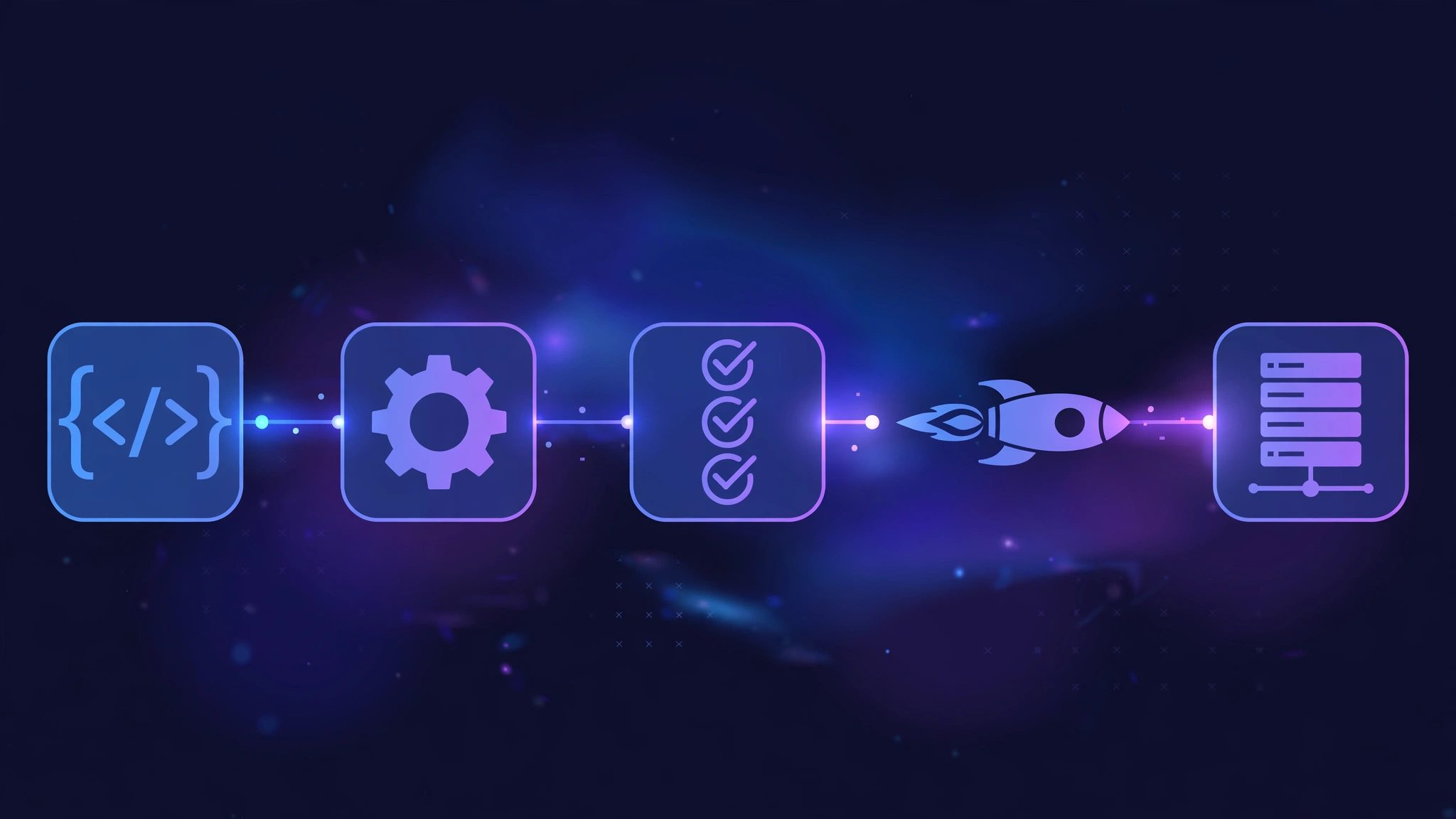
A pipeline is a chain of automated stages. A typical pipeline for a web application looks like this:
- Commit. A developer pushes code to the shared repository (usually Git). The push is the trigger that starts the pipeline.
- Build. The pipeline checks out the code and builds it: installing dependencies, compiling assets, and packaging the application. A failed build stops the pipeline immediately.
- Test. Automated tests run: unit tests for individual functions, integration tests for how parts work together, and sometimes linting or security scans. Each test either passes or blocks the release.
- Package. The tested code is packaged into a deployable artifact — a Docker image, a zip file, or a static build folder — and stored with a version number.
- Deploy to staging. The artifact is deployed to a staging environment that mirrors production, where it can be checked by the team or by automated smoke tests.
- Deploy to production. In continuous delivery, a human approves this step. In continuous deployment, it happens automatically as soon as the earlier stages pass.
Every stage produces logs, so when something fails you can see exactly which step broke and why. The whole run typically takes a few minutes, which means a bug introduced at 10 a.m. is caught at 10:05 a.m., not discovered by users at midnight.
CI vs CD vs Continuous Deployment
These three terms are often used loosely, but they mean different things:
- Continuous Integration: code is merged and tested automatically, many times a day. The output is a verified build, not a live release.
- Continuous Delivery: everything up to production is automated, and the code is always in a deployable state. A person decides when to release.
- Continuous Deployment: every passing change goes live automatically, with no manual approval step.
Most teams start with CI, add delivery once their tests are trustworthy, and only move to full deployment when they are confident in their automated checks and their ability to roll back quickly. There is no rule that says you must reach the final stage; many excellent teams stay at continuous delivery for years.
Key Components of a CI/CD Pipeline
Version control
Everything starts with Git. Short-lived branches, frequent merges and clear commit messages keep the pipeline fed with small, reviewable changes. Long-lived branches that diverge for weeks are the enemy of CI.
Build server / runner
The runner is the machine that executes the pipeline — checking out code, installing dependencies and running tests. Popular options include GitHub Actions, GitLab CI, Jenkins and CircleCI. For a small project, the free tier of a hosted runner is usually enough.
Automated tests
Tests are the safety net that makes the whole system trustworthy. A pipeline without tests is just a faster way to ship bugs. At minimum, run unit tests and a build check; add integration and end-to-end tests as the project grows.
Artifact storage
Built packages are stored in a registry (Docker Hub, a private registry, or the CI platform's own storage) with version tags, so any release can be reproduced or rolled back to a known-good version.
Environments
Code travels through environments: development, staging, then production. Staging should mirror production as closely as possible — same operating system, same database version, same configuration — so surprises are caught before users see them.
A Real-World Example
Imagine a three-person team building a Node.js web app. Before CI/CD, their release process was: one developer builds the app on their laptop, copies files to the server over SFTP, restarts the service by hand, and hopes nothing breaks. Releases happened once a month because they were stressful.
With CI/CD, the same team pushes code to GitHub. A GitHub Actions workflow, stored as .github/workflows/deploy.yml in the repository, runs on every push:
name: Deploy
on:
  push:
    branches: [main]
jobs:
  build-and-deploy:
    runs-on: ubuntu-latest
    steps:
      - uses: actions/checkout@v4
      - uses: actions/setup-node@v4
        with:
          node-version: '22'
      - run: npm ci
      - run: npm test
      - run: npm run build
      - name: Deploy to server
        run: |
          rsync -avz --delete ./build/ deploy@your-server:/var/www/app/
          ssh deploy@your-server "sudo systemctl restart myapp"
Each step is simple and readable: check out the code, install Node.js 22, install dependencies with npm ci, run the tests, build the app, then sync the files to the server and restart the service. If npm test fails, the deploy step never runs, so broken code never reaches the server. Releases now happen several times a week, each one small and easy to undo.
Benefits of CI/CD
- Faster releases. Small changes flow to production in minutes instead of waiting for a monthly release window.
- Fewer bugs reach users. Automated tests catch regressions before deployment, not after.
- Easier rollbacks. Every release is a versioned artifact, so reverting is a one-command job.
- Less manual work. Nobody spends Friday evening copying files to a server by hand.
- More confidence. Developers merge often because the pipeline, not courage, guarantees quality.
- Better collaboration. Frequent merges mean fewer merge conflicts and less duplicated work.
Common Misconceptions About CI/CD
"CI/CD is only for big companies"
Small teams benefit the most. A solo developer with a five-minute pipeline gets the same safety net as a team of fifty, and the free tiers of GitHub Actions or GitLab CI cover most small projects entirely.
"CI/CD means fully automatic deployment"
Not necessarily. Continuous delivery keeps a human approval step for production. You can automate the build and tests while still choosing exactly when a release goes live.
"Setting it up takes weeks"
A basic pipeline — build, test, deploy — can be written in an afternoon. Start with one pipeline file and a handful of steps, then add stages (security scans, staging environments) only when you need them.
"CI/CD replaces testing"
It is the opposite: CI/CD only works because tests exist. The pipeline runs the tests; it does not write them. Teams that skip tests end up automating the delivery of bugs.
Conclusion
CI/CD is not a tool you install; it is a habit your team builds. Start with continuous integration: merge small changes often and let a pipeline build and test every one of them. Add automated delivery when your tests earn your trust, and full deployment only when you are ready. The payoff is the same at any scale: releases stop being events and become routine.
If your team is still deploying by hand and wants a proper pipeline — or a server set up correctly to run one — XpertBees helps businesses automate their deployments and manage their servers, so your developers can spend their time building features instead of babysitting releases.